Technology 04/04/2026 Nichita Roilean, Founder 6 min read
How AI Is Changing 3D Printing: Design, Slicing, Manufacturing
Artificial intelligence is changing 3D printing in four key areas: generative design (AI designs lightweight structures), automatic slicing, quality control via computer vision, and instant price calculation from 3D files. In 2026, these capabilities are available even to small print services.

Need a custom 3D print?
Upload your model — get an instant price. Dispatched in 48h, delivered across the EU.
Artificial intelligence is changing 3D printing in four key areas: generative design, automatic slicing, quality control via computer vision, and instant price calculation from an uploaded file. In 2026, these tools are available not only to industrial giants but also to small and medium-sized print services.
This article clearly explains how AI specifically affects each phase of 3D printing — from design through print preparation to quality verification — and what this means for customers who want fast, high-quality, and cost-effective parts.
1. Generative Design: AI as an Engineer
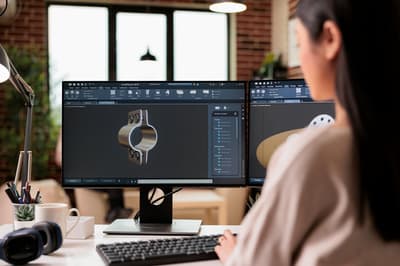
Generative design is an approach where an algorithm (most commonly topology optimization or an evolutionary algorithm) autonomously designs part geometry based on specified parameters:
- Loads and forces the part must withstand
- Weight limit or target
- The space the part must fit within
- Material and manufacturing method
How Does Generative Design Work?
Software (Fusion 360 Generative Design, nTopology, Siemens NX) runs a load simulation on the available space envelope. It then iteratively removes material from areas that are not mechanically necessary, resulting in an organic, "lattice" structure that is lighter but equally strong as a conventionally designed part.
Typical results:
- 30–80% weight savings compared to a traditionally designed part
- Maintained or improved mechanical stiffness
- Geometry that can only be manufactured by 3D printing (cannot be milled or cast)
Real-world examples:
- Airbus designed an aircraft partition using generative design: original part 3 kg → new part 1.3 kg, 55% weight savings (Source: Autodesk, 2016)
- GE Aviation optimized a jet engine fuel nozzle: 20 parts → 1 part, 25% weight savings
Availability for Small Businesses
In 2026, generative design is available in free or low-cost tools:
- Fusion 360 (free for personal use) — full generative design support
- Tinkercad + AI assistants — basic optimization for beginners
- nTop — industrial solutions, licenses from approximately $5,000/year
2. Automatic and Intelligent Slicing
Slicing is the conversion of a 3D model into printer instructions (G-code). Traditionally, it requires an experienced operator to optimally configure dozens of parameters. AI is changing this.
What Does AI Bring to Slicing?
Automatic orientation detection: Machine learning algorithms analyze geometry and suggest optimal print orientation in terms of surface quality, strength, and minimizing supports.
Print failure prediction: Systems like Bambu AI, OrcaSlicer, or Simplify3D analyze the model before printing and flag problematic geometries:
- Overhang greater than 45° without support
- Thin walls below minimum thickness
- Floating parts (island detection)
Adaptive layer height: AI automatically reduces layer height on curved surfaces and increases it on flat areas — resulting in smoother surfaces and shorter print times.
Result: An experienced operator used to spend 20–60 minutes configuring parameters. Today's AI slicers reduce this to 2–5 minutes with better results.
3. Quality Control via Computer Vision
Traditional 3D print quality control is manual: an operator visually inspects the part after printing. AI brings automated, objective, and continuous inspection directly during the print.
AI Monitoring in Real Time
Systems like Bambu Lab AI Camera, Obico (formerly The Spaghetti Detective), or Formlabs Inspect use cameras and neural networks to detect:
- Spaghetti (chaotic stringing) — caused by layer detachment or collision
- Layer errors — gaps, unevenness, or layer shifts
- Insufficient first-layer adhesion — poor bed calibration
How it works:
- A camera photographs the print every 10–60 seconds
- AI compares the image to the reference model (or to the previous layer)
- Upon detecting an anomaly, the print is paused or the operator is notified
Result: A study by Obico (2023) reports that AI monitoring reduces failed print rates by 70–85% for users who actively use the system.
4. Instant Price Calculation from a 3D File
The traditional method of calculating 3D print pricing required manual file analysis and email communication (1–3 days). AI and automated slicing change this to seconds.
How Does an AI Price Calculator Work?
Systems like the Niro3D calculator automatically analyze an uploaded 3D file:
- File parsing: Extraction of volume, surface area, dimensions, and geometry
- Virtual slicing: Calculation of material consumption (grams), print time (hours), and number of supports
- Pricing model: Application of rates for material, machine time, post-processing, and overhead
- Result: Price displayed within 3–5 seconds of uploading the file
What the calculator considers:
- Material volume in grams (material cost)
- Print time in hours (machine depreciation + energy)
- Support complexity
- Selected material and print quality (layer height)
Niro3D implements this approach natively — upload an STL, 3MF, or STEP file and instantly see the price in CZK with a 3D preview of the part.
5. AI in New Product Design: Generating Models from Text
The latest developments (2024–2026) bring models that generate 3D geometry directly from a text description or image:
- OpenAI Shap-E (2023) — generating 3D models from text or image
- Point-E (OpenAI) — fast generation of low-polygon models
- Luma AI — generating 3D scenes from video
- Autodesk AI — assisted design within Fusion 360
Current state (2026): These tools are currently suitable for conceptual designs and prototypes, not for precise technical parts. The accuracy of generated geometries is not sufficient for functional engineering applications without further manual refinement.
Outlook: By 2028, text-to-CAD solutions are expected to reach quality that allows direct output for 3D printing without manual modifications.
How AI is Changing the Business Model of 3D Print Services
AI is lowering the entry barriers to custom 3D printing:
| Process | Without AI | With AI |
|---|---|---|
| Price calculation | 1–3 days (email) | 3–5 seconds (online) |
| Print preparation | 20–60 min (expert) | 2–5 min (automated) |
| Quality control | Manual after printing | Continuous (real-time) |
| Generative design | Specialized engineer | Available in Fusion 360 |
| Error detection | Experienced operator | AI camera + ML model |
The result is that small 3D print services can offer the same speed and quality as large industrial companies — but with significantly lower operating costs.
Key Takeaways: AI in 3D Printing 2026
- Generative design — AI designs lightweight structures with 30–80% weight savings
- Automatic slicing — from 60 minutes of configuration to 5 minutes with AI assistance
- Real-time quality control — AI camera reduces defect rates by 70–85%
- Instant price calculation — from days to seconds via automatic 3D file parsing
- Text-to-3D — early stages, but rapidly developing toward functional models
AI does not eliminate the need for experienced people in 3D printing — on the contrary, it allows experts to focus on complex problems while automating routine tasks. For customers, this means faster, cheaper, and more reliable custom printing.
Photo: igovar igovar via Pexels